
Profit Margin Calculator
Enter your revenue and cost of goods below and this profit margin calculator instantly returns your gross profit, profit margin percentage, and markup — the three numbers every seller needs to price with confidence.
Profit Margin Calculator
How the profit margin calculator works
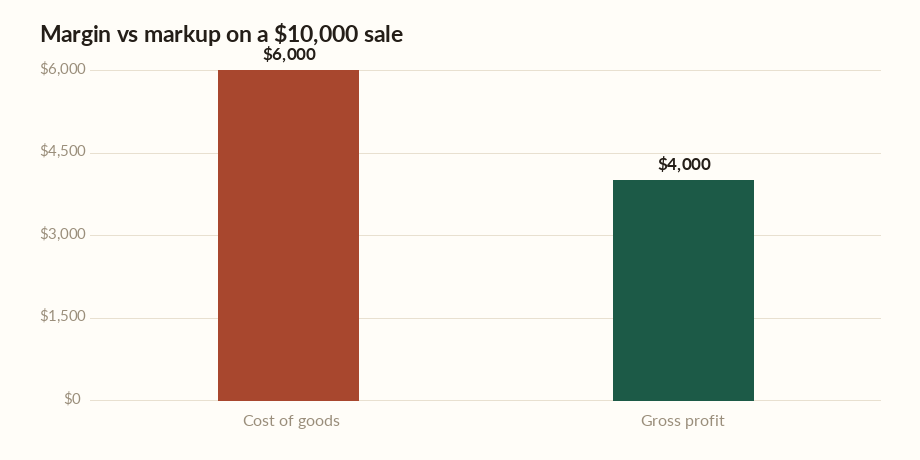
The profit margin calculator starts with a simple subtraction: gross profit equals revenue minus the cost of goods sold (COGS). If you sell a product for $10,000 and it cost you $6,000 to make or buy, your gross profit is $4,000.
Profit margin then expresses that profit as a share of revenue: $4,000 ÷ $10,000 = 40%. Margin always uses the selling price as its base, so it can never exceed 100%. It answers the question “of every dollar I take in, how much do I keep?” Because it is a percentage, you can compare a $12 item and a $12,000 order on the same footing.
Margin versus markup
Markup uses cost as the base instead of revenue: $4,000 ÷ $6,000 = 66.7%. The same sale is a 40% margin but a 66.7% markup, which is why the two numbers are so easy to confuse. Markup tells you how much you added on top of cost; margin tells you how much of the final price is profit.
Mixing them up is a common pricing mistake. A shop aiming for a 40% margin but applying a 40% markup would quietly under-price every item, because a 40% markup is only a 28.6% margin. To convert a markup to a margin, divide the markup by one plus the markup.
Worked example
Say you run a small e-commerce store. A jacket sells for $120 and costs you $78 landed. Gross profit is $42, the margin is 35%, and the markup is roughly 54%. If you want a 50% margin instead, you would need to raise the price to $156 or cut the cost to $60 — the calculator lets you test both moves in seconds.
Remember this is gross margin only. It does not subtract overheads such as rent, shipping, payment fees, or advertising, so your net margin will always be lower than the figure shown here. Track those operating costs separately so a healthy-looking gross margin does not hide a thin net result.
Where to learn more
The U.S. Small Business Administration publishes free guidance on pricing, market research, and building a financial plan for a new product line. The Federal Trade Commission also offers plain-language resources for small businesses on advertising claims and honest pricing. Both are worth reading before you finalize a pricing strategy.
Frequently asked questions
What is a good profit margin?
It varies widely by industry. Grocery and retail often run on single-digit net margins, while software can exceed 70%. As a rough gross-margin guide, many small product businesses aim for 40% to 50% to leave room for overheads.
What is the difference between margin and markup?
Margin is profit divided by the selling price; markup is profit divided by the cost. A 40% margin equals a 66.7% markup on the same sale. Margin can never exceed 100%, but markup can.
Does this calculator show net profit margin?
No. It shows gross profit margin, which only subtracts the cost of goods. Net margin also subtracts operating expenses such as rent, wages, fees, and taxes, so it is always lower.
How do I convert markup to margin?
Divide the markup by one plus the markup. A 66.7% markup becomes 0.667 ÷ 1.667 = 40% margin. The calculator does this automatically when you enter revenue and cost.
Use the profit margin calculator to pressure-test prices before you set them, then revisit it whenever your costs change. For a fuller picture of business viability, pair it with a break-even calculator. Authoritative pricing guidance is available from the U.S. Small Business Administration and the Federal Trade Commission.