
AdSense Revenue Calculator
This AdSense revenue calculator estimates how much a website can earn from display ads using three inputs: pageviews, click-through rate, and cost per click. Enter your numbers to see estimated clicks, monthly and yearly revenue, and your effective RPM.
AdSense Revenue Calculator
How the AdSense revenue calculator works
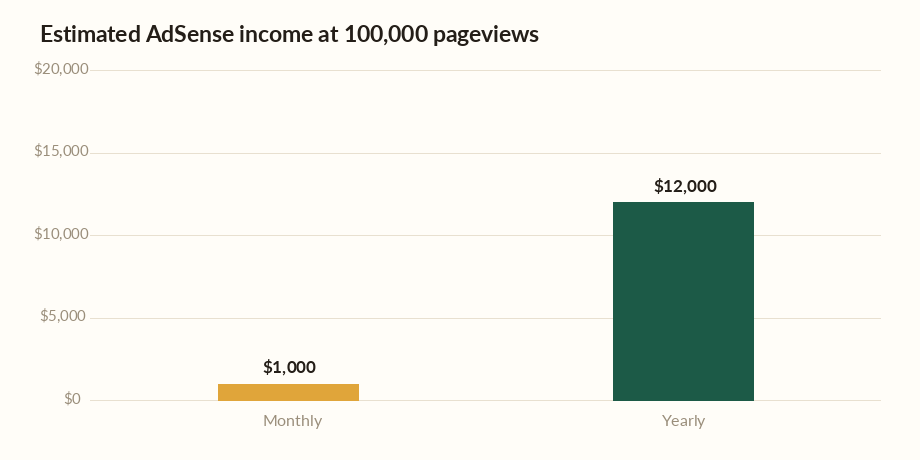
The AdSense revenue calculator chains three numbers together. First it finds your clicks: pageviews multiplied by click-through rate. At 100,000 pageviews and a 2% CTR, that is 2,000 clicks. Then it multiplies clicks by your cost per click: 2,000 × $0.50 = $1,000 a month, or about $12,000 a year.
It also shows your effective RPM — revenue per thousand pageviews — which in this example is $10. RPM is a handy single figure for comparing how well different pages or sites monetize, because it folds CTR and CPC into one number.
What drives CTR and CPC
Cost per click depends heavily on your topic. Advertisers bid far more for finance, insurance, legal, and software keywords than for hobbies or entertainment, so a personal-finance blog can earn many times the CPC of a meme site with the same traffic. Ad placement, format, and how well ads match your content also move the numbers.
Click-through rate is shaped by layout, how many ad units you run, and audience intent. Typical display CTRs are often below 2%, so if you are estimating for a new site, a conservative CTR keeps expectations realistic.
Traffic is the biggest lever
Because revenue scales directly with pageviews, growing traffic is usually the fastest route to higher earnings. Doubling qualified visitors roughly doubles income at the same CTR and CPC. That is why most successful ad-supported sites focus first on search and content strategy, then on optimizing ad layout second.
Quality of traffic matters as much as quantity, though. Visitors from high-CPC countries and high-intent searches earn far more per pageview than accidental or low-value traffic, so two sites with identical pageviews can earn very different amounts.
Where to learn more
Google’s official AdSense Help explains how earnings, RPM, and payment thresholds work, and the U.S. Small Business Administration offers guidance on running an online business, including how to report ad income. Both are reliable references once your site is earning.
Frequently asked questions
How much does AdSense pay per 1,000 views?
That is your RPM, and it varies widely — often from a dollar or two on low-value niches to $20 or more on finance and business content. In this calculator’s example, a 2% CTR and $0.50 CPC produce a $10 RPM.
What is a realistic AdSense CTR?
Display ad click-through rates are commonly under 2%, though this depends on layout, niche, and audience. Using a conservative CTR gives a more trustworthy earnings estimate for a new site.
What is the difference between CPC and RPM?
CPC is what you earn per ad click. RPM is what you earn per thousand pageviews, combining CTR and CPC into one figure. RPM is better for comparing overall page or site performance.
Is there a payment threshold for AdSense?
Yes. Google pays out once your balance reaches a set minimum, commonly $100. Below that, earnings roll over month to month until you cross the threshold.
Use the AdSense revenue calculator to model traffic and niche scenarios before you commit to a content plan. For official details see Google AdSense Help and, for the business side, the U.S. Small Business Administration. Video creators can also try the YouTube money calculator.